Online JEF Viewer
Open and preview Janome JEF files right in your browser. See realistic stitches in their real thread colors, design size, stitch count and estimated machine runtime — free, with nothing to install.
Your file is read locally in your browser to render the preview.
How it works
View a JEF file in 3 steps
Upload your JEF file
Drag a .jef file into the viewer or click Upload — it opens instantly in your browser.
Preview & customize
Switch fabrics, recolor threads, toggle jumps and play the stitch animation.
Read the details
Check stitch count, colors, size and estimated machine runtime before you sew.
Features
Everything you need to preview embroidery files
True-to-thread preview
Render JEF stitches with realistic thread shading on studio, t-shirt, cap, denim, towel and felt backgrounds.
Stitch-by-stitch Simulation
Animate the design the way the machine sews it, and estimate runtime from your machine's stitches-per-minute.
Real thread colors
JEF files carry their colorway from Janome's thread palette, so the design opens in its true colors — and you can recolor any block.
Design details
Read stitch count, color count and exact design size in millimeters straight from the JEF design.
Jumps & stitch points
Toggle jump stitches, stitch points and the stitch line to inspect pathing between design sections.
Private & in-browser
Files you drop are parsed locally in your browser — nothing is uploaded to view a design.
Mobile friendly
Open, preview, measure and export JEF designs on any phone or tablet — the viewer is fully touch-friendly and responsive.
Export to PNG & PDF
Convert your design to a high-quality PNG image, or export a branded PDF spec sheet with stitch count, colors, size and thread length.
Verify on real fabrics
Check the stitch-out against studio, t-shirt, cap, denim, towel and felt backgrounds to confirm how it reads on different garments.
What is a JEF file?
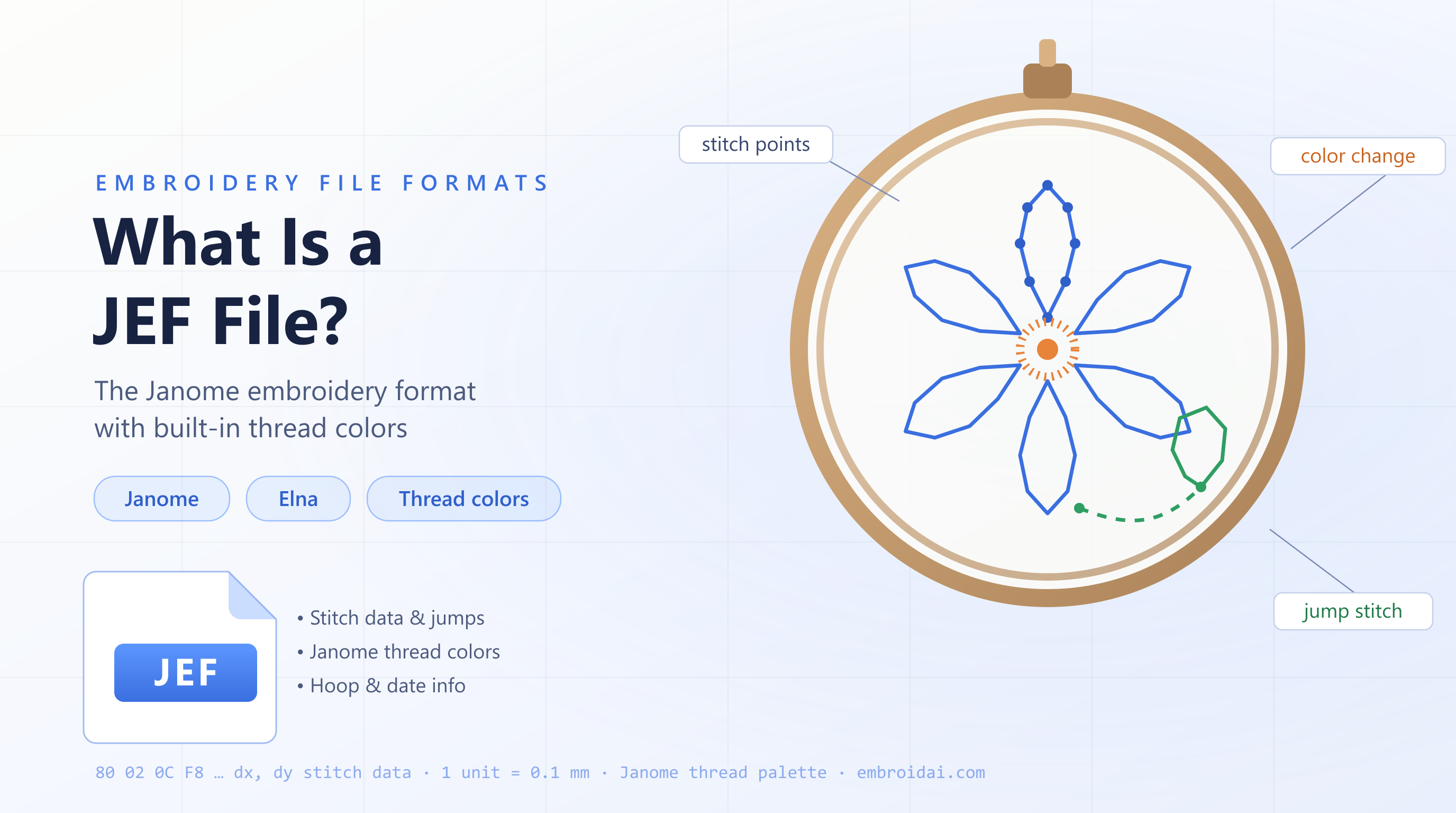
A JEF fileis the native embroidery format for Janome machines — JEF stands for Janome Embroidery Format. It stores the stitch movements, jump stitches and color-change stops that guide the machine through the design, plus two things bare production formats leave out: the design's thread colors from Janome's palette and the hoop it was saved for.
Janome introduced JEF around 2000 with the Memory Craft 10000, and it has been the backbone of Janome embroidery ever since — including the Elna embroidery machines Janome builds. Because the colorway travels inside the file, a JEF opens in its intended colors instead of the flat single-color import you get from a DST.
Because a raw JEF is binary stitch data, you cannot simply open it as an image. That is exactly what a viewer is for: our online JEF viewer reads the file directly in your browser and reconstructs the design with a realistic, true-to-thread preview in its real colors. You can inspect the stitch path, recolor any block, switch the simulated fabric, and read the design size and stitch count before sending it to your machine.
Want the full story on the format? Read our complete guide: What Is a JEF File?
Benefits
Why use our online JEF viewer
Fast, free and private — built to help you check a Janome design before you commit thread to fabric.
Instant, in your browser
Your JEF opens the moment you drop it in — there is no upload queue, no processing wait and no software to install before you can see the design.
Free with no login
View, measure and export as many JEF files as you like without an account, a subscription or a watermark stamped across the preview.
Opens in real thread colors
Because a JEF file records its colorway from Janome's thread palette, the viewer shows the intended colors right away — and you can still recolor any block to test alternatives.
Know the size and stitch count
Read the exact design size in millimeters, total stitch count and color count straight from the JEF design to confirm it fits your hoop and garment.
Works on any device
The viewer runs entirely in the browser on desktop, tablet and phone — no plugins, no app store and no operating-system restrictions.
Estimate machine runtime
Enter your machine's stitches-per-minute and the viewer estimates how long the design will take to sew, so you can plan production and quote jobs accurately.
Supported machines
JEF works across Janome, Elna and beyond
Native to Janome and Elna, opened by nearly every digitizing program, and convertible for any other machine.
Janome
JEF is the native format for Janome embroidery machines, from entry-level models to the Memory Craft and Continental flagships — designs load straight from USB.
Elna
Elna embroidery machines are built by Janome, so they read the same JEF designs you preview here without any conversion.
Commercial multi-head
For Tajima, Barudan, SWF and Ricoma heads that prefer DST, preview your JEF here, then convert it so it runs on commercial machines.
Other machines & software
Most digitizing programs — Wilcom, Hatch, Embird, Ink/Stitch — open JEF, so designs you preview here import into nearly any embroidery setup.
Running a machine that expects DST or PES? Preview your design here, then use the DST ⇄ PES converter to export the format your machine needs.
Common problems
Troubleshooting & tips
Quick answers to the issues people hit most when opening and previewing JEF files.
My machine says the design is too big
JEF designs are saved for a specific Janome hoop. If your machine doesn't have that hoop or its embroidery area is smaller, it will refuse the file. Check the size here, then re-save the design for a hoop your machine supports.
The colors don't exactly match my threads
JEF colors come from Janome's standard thread chart, so other brands map to the nearest palette color. Use the recolor tool to assign the specific threads you plan to sew with before stitching.
My file will not open in the viewer
Make sure the file is a genuine .jef and not a renamed DST, PES or image. Re-export a clean JEF from your design software, then drop it into the viewer again.
The design stitches poorly after resizing
JEF contains final stitch data, so scaling changes stitch spacing without regenerating stitches. Resize the original digitizing file, or have the design redigitized at the new size.
There are long jump lines across the design
Those are jump stitches between sections. Toggle jump stitches off to preview the finished look — Janome machines trim automatically where jump runs allow it.
JEF viewer questions
JEF is the native embroidery format for Janome machines (and Janome-built Elna models). It stores the stitch movements, jumps and color-change stops that tell the machine how to sew a design, plus the design's thread colors from Janome's palette and the hoop it was saved for.
Upload or drag your .jef file into the EmbroidAI online JEF viewer above. The design renders instantly in your browser with a true-to-thread stitch preview in its real colors — no software to install.
Yes. Viewing and previewing JEF files is completely free and does not require an account. Sign in for additional tools like saving designs to your library and exporting other formats.
No. The viewer runs entirely in your web browser on desktop and mobile. Your file is parsed locally just to display it.
Yes. Unlike DST, a JEF file records its colorway as indexes into Janome's thread palette, so the viewer opens the design in its intended colors. You can still recolor any block to preview alternate combinations.
Yes. You can export the current preview as a high-quality PNG image, or download a branded PDF spec sheet that includes the design render along with stitch count, colors, size and total thread length.
Yes. The viewer is fully responsive and touch-friendly, so you can open, preview, measure and export JEF files on a phone or tablet — no app to install.
Both store the stitch data a machine sews, but JEF is the native Janome home-embroidery format and embeds the design's thread colors and target hoop, while DST is the universal commercial (Tajima) format and stores no colors. That is why a JEF opens in its real colors and a DST imports as a single flat block until you recolor it.
JEF is native to Janome and Elna embroidery machines, and virtually every embroidery design program can open it. For commercial Tajima-style heads that prefer DST, preview the JEF here and convert it first.
JEF+ (.jef+) is an extended version of the format used by Janome's own software, adding editing-oriented data on top of the stitch information. Plain JEF remains the format machines sew from.
The most common cause is that the design was saved for a hoop your machine doesn't have, or is larger than your maximum embroidery area. Check the design size in the viewer, then re-save it for a supported hoop or resize it in embroidery software.
Jump stitches are travel moves the needle makes between separate parts of a design without stitching. The viewer lets you toggle them on or off so you can inspect the pathing, or preview the clean finished look without the jump lines.
Yes. Enter your machine's stitches-per-minute and the viewer estimates the machine runtime from the total stitch count, which is useful for planning production and quoting embroidery jobs.
No. When you drop a file into the viewer it is parsed locally in your browser purely to render the preview. The design is not sent to or stored on a server, so your files stay private.
Want to do more than view?
Sign in to save designs to your library, digitize artwork with AI and export to DST, PES, EXP and JEF.